⚙️ How It Works
Any user can participate in the Overwatch program. To get started, simply click the link located in the navigation menu.
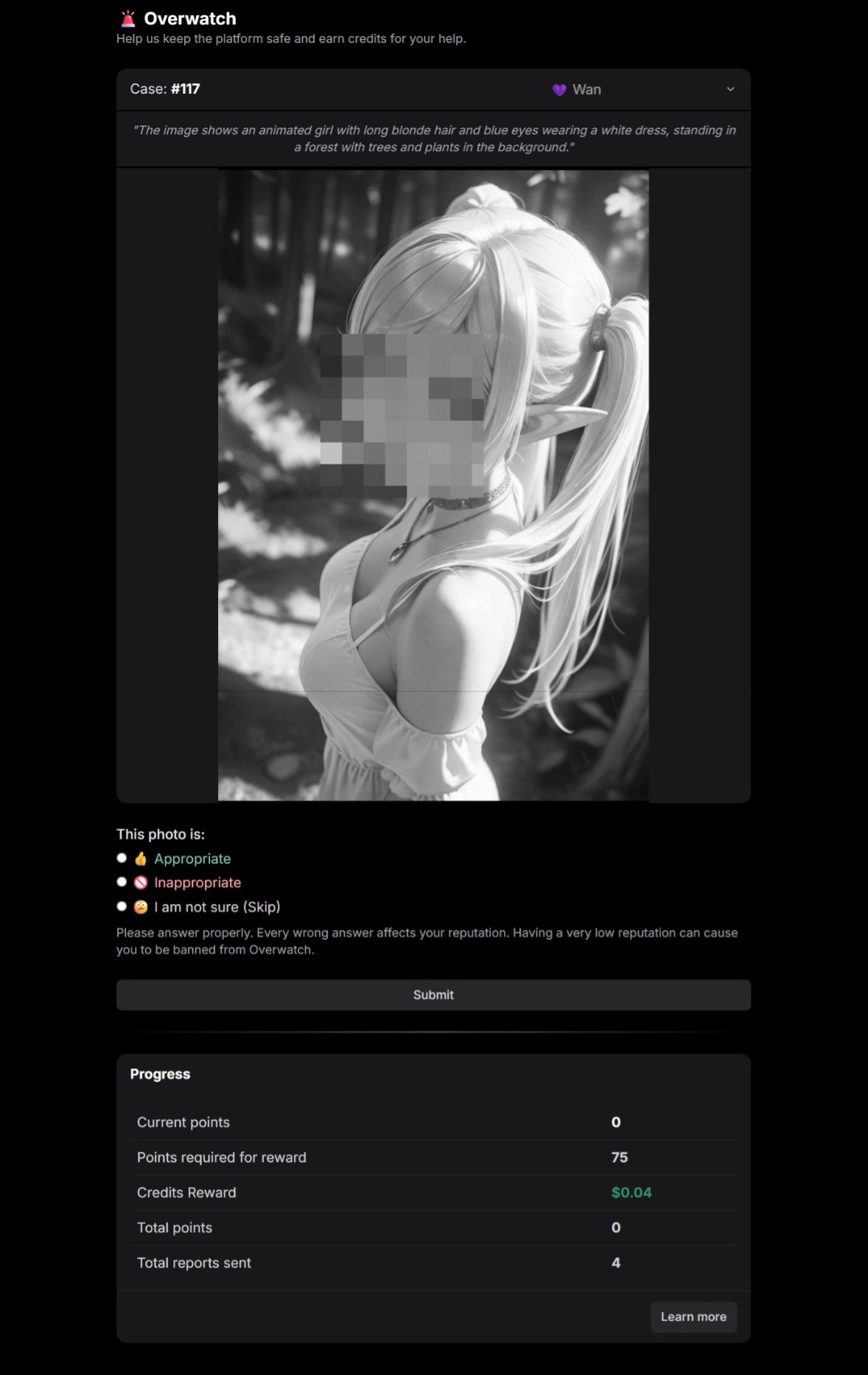
Once inside, you will see a censored photo ready for moderation, along with the following information:
AI Engine used.
A brief AI-generated description of the photo.
The prompt used by the user to generate the output (if applicable).
Below the photo, you will see the options for your report verdict:
👍 Appropriate: The photo does not contain any illegal or disturbing content, and the user's prompt is safe.
🚫 Inappropriate: The photo or the user's prompt contains content that violates our policies, such as minors, gore, or other extreme/violent material.
😕 I am not sure: If you are not completely certain about your verdict, select this option to maintain your reputation score.
After selecting your verdict, click the "Submit" button to send your report and move on to the next photo.
That’s it! Once a photo reaches a specific number of reports, a final verdict is determined, and you will earn points accordingly.
What are points?
You earn one point every time your verdict matches the final consensus for an "Appropriate" report.
Once you accumulate a specific number of points, they are automatically converted into platform credits.
Correctly identifying inappropriate reports
When your verdict matches the final consensus for an "Inappropriate" report, you do not earn points; instead, you receive a direct reward in credits.
We take platform safety very seriously, and we believe that helping us detect and remove inappropriate content is deserving of an immediate reward.
Why do I see a CAPTCHA from time to time?
To prevent misuse of the Overwatch program, users are required to solve a CAPTCHA after a certain number of reports. This helps us ensure that reports are legitimate and prevents automated bot activity.
Please note that "Limited" users (those who have never purchased a plan) will encounter CAPTCHAs more frequently.